
There are instances when Schedule Unit IDs and Scheduled Assesssment IDs have to be added manually to a Moodle Course, e.g. when a mode of delivery changes from 'on-campus only to 'on-campus & 'off-campus' after the UQAF has been scheduled on Paradigm and Moodle.
Once the new Scheduled Unit is created (e.g. the off-campus version of the UQAF), the Scheduled Unit ID (SUID) has to be added to the 1) Moodle Course 2) Group, 3) Gradebook and the Scheduled Assessment IDs have to be added to 4) Gradebook categories.
Note, the new Scheduled Unit needs to be identical to the related SUID with the exception of the Mode of Delivery -> Start Date, End Date, Census date need to be the same as well as the Assessment Items.
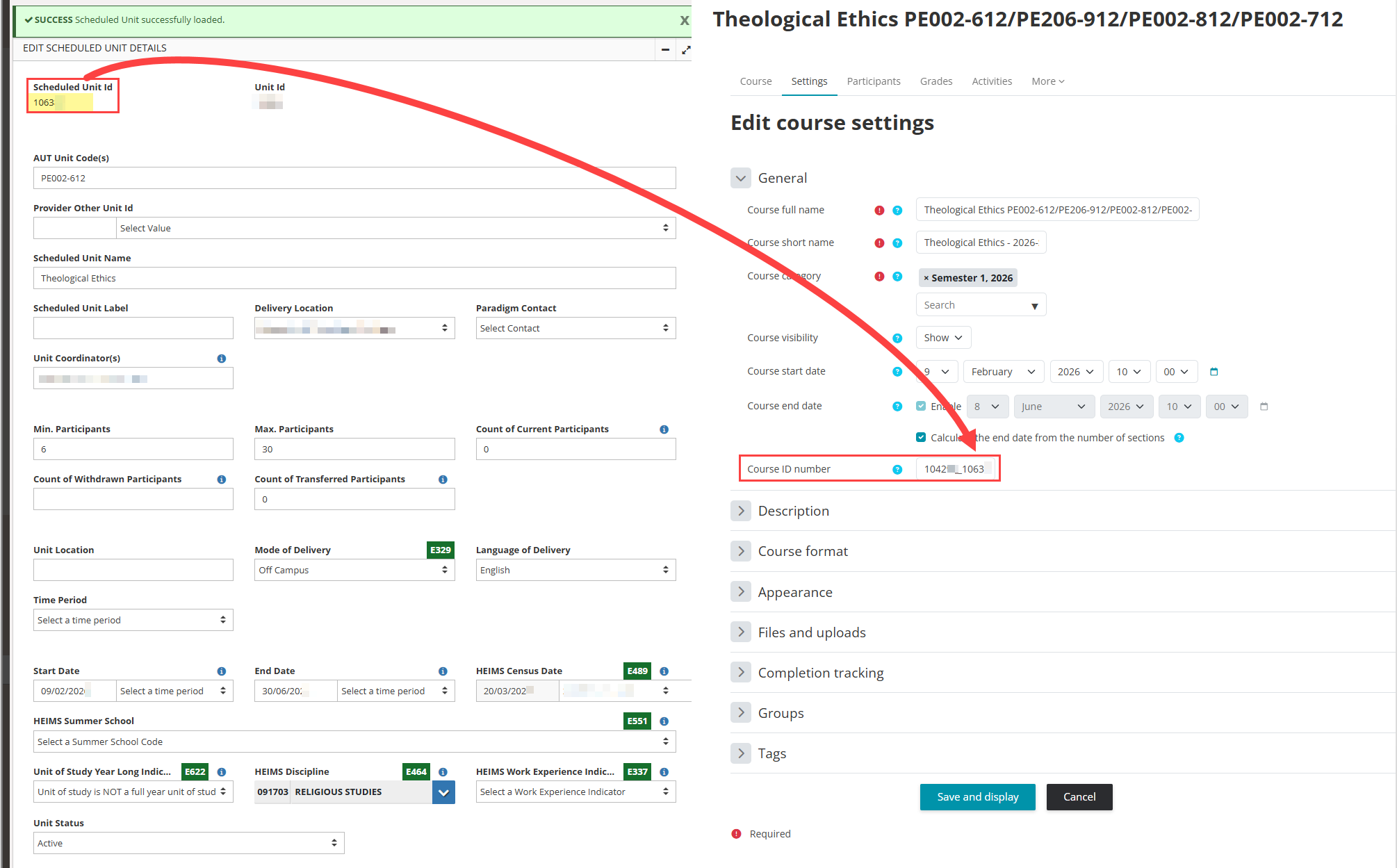
1) Adding the SUID to the Moodle Course
Edit Course Settings --> append the new SUID after the on-campus SUID separated with an underscore, without changing the other codes. --> click on Save Changes.
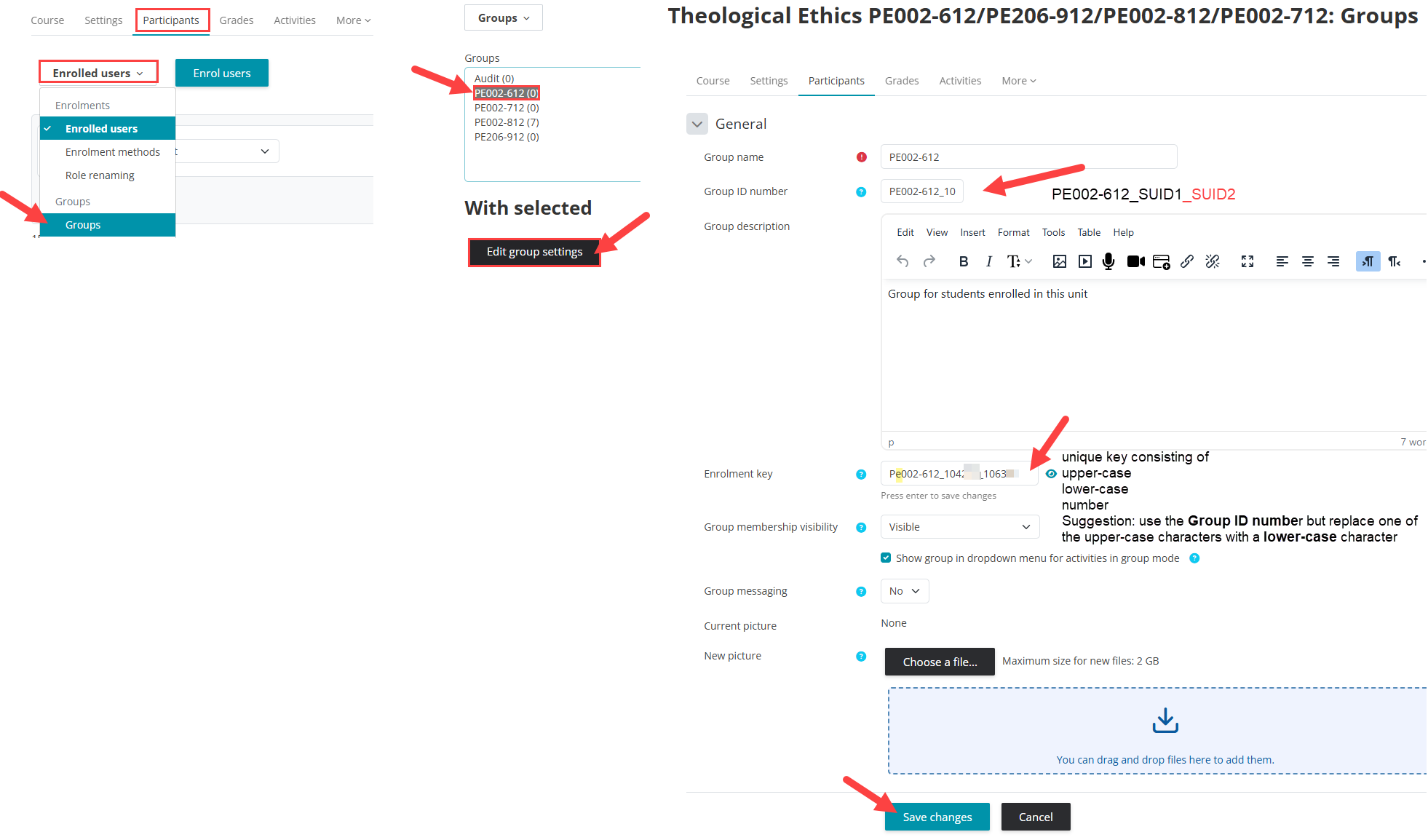
2) Adding the SUID to the Group
Go to the participants tab, and select Groups.
Select the group and click on 'edit group settings;
Add the SUID of the new Scheduled Unit to the Group ID number, create a new Ernolment Key (it needs be unique, consisting of upper-case, lower-case and number. Suggestion: use the Group ID number but replace one of the upper-case characters with a lower-case character). Click 'save changes'.
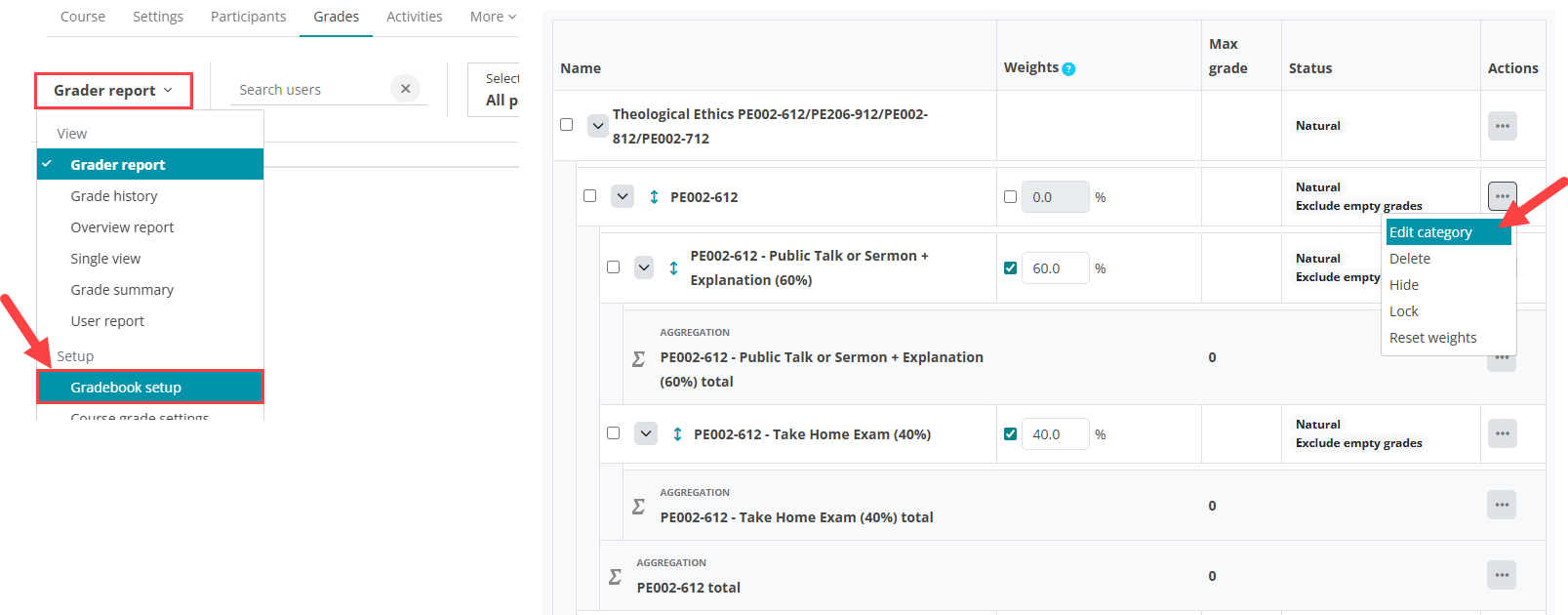
3) Add the SUID to the Gradebook
In the Grades tab, go to the Gradebook setup. Find the relevant Grade category, click 'edit category' --> click on 'show more' to see the ID number.
Add the new SUID after the exisitng ID number, separated by an underscore and click 'save changes'.
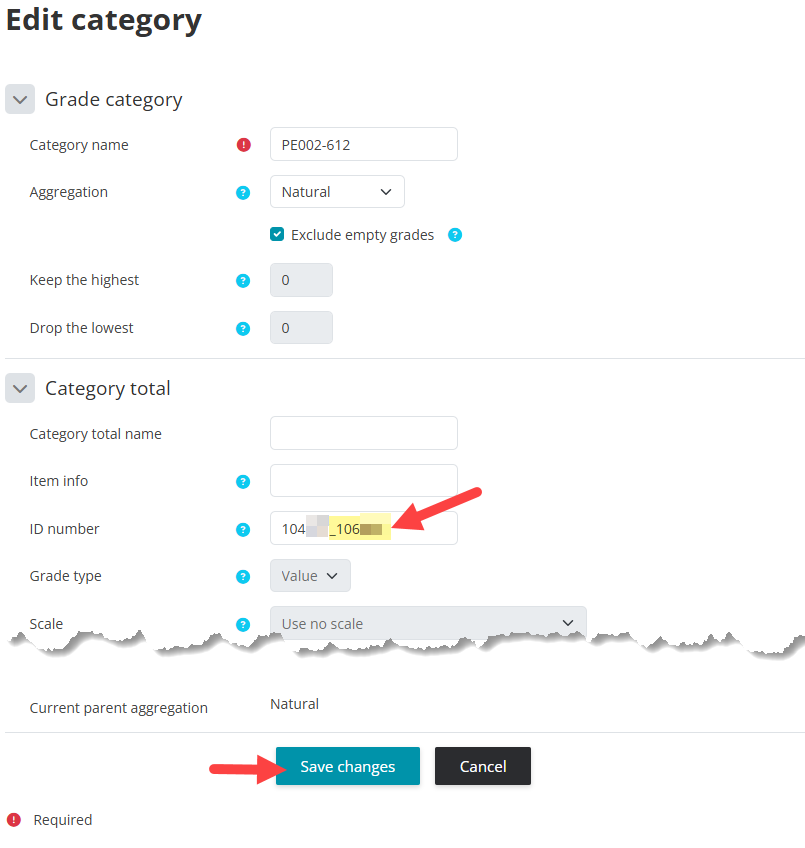
4) Add the Scheduled Assessment IDs to the Grade categories.
Similar to the step 3, the IDs need to be added to the relevant Grade categories. Find the corresponding grade categories for the Scheduled Assessment Items --> click 'edit category' --> click on 'show more' to see the ID number.

Add the Scheduled Assessment ID to the existing grade category ID number, separated by an underscore, click 'save changes'.
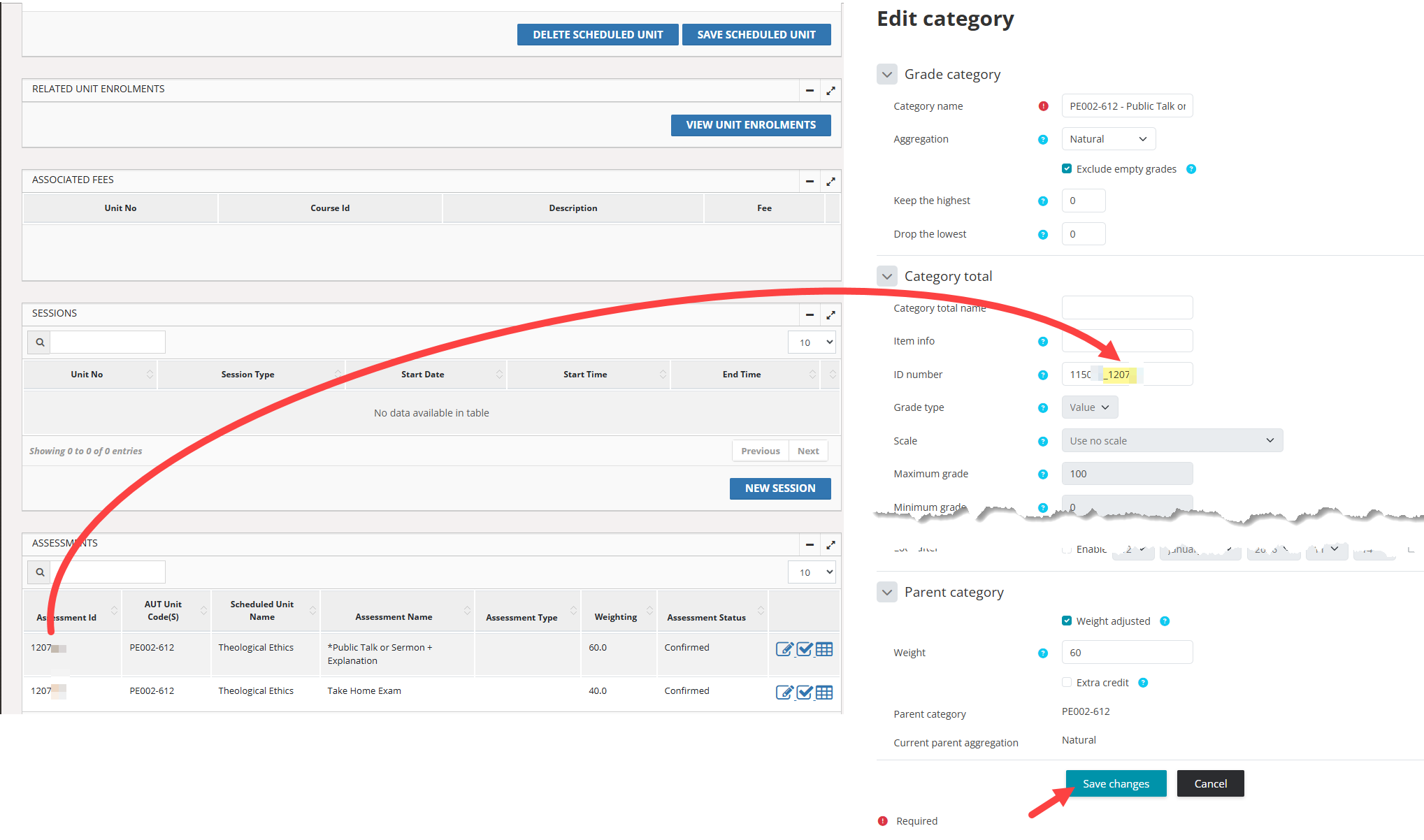
Repeat the process for all Scheduled Assessment items.
Once the Scheduled Assessment IDs are transferred, remove the no longer used grade categories from the Gradebook to avoid duplicated IDs. Otherwise the result transfer from Moodle to Paradigm may not pick the correct totals for the IDs.